Readiness before action
Plan state, restore-point coverage, network context, and recent changes come first, so bigger moves start from a stronger position.
NytrixOs unifies cleanup, guided tweaks, DNS, restore points, utilities, and app installs in one premium workspace with rollback visible before deeper actions.
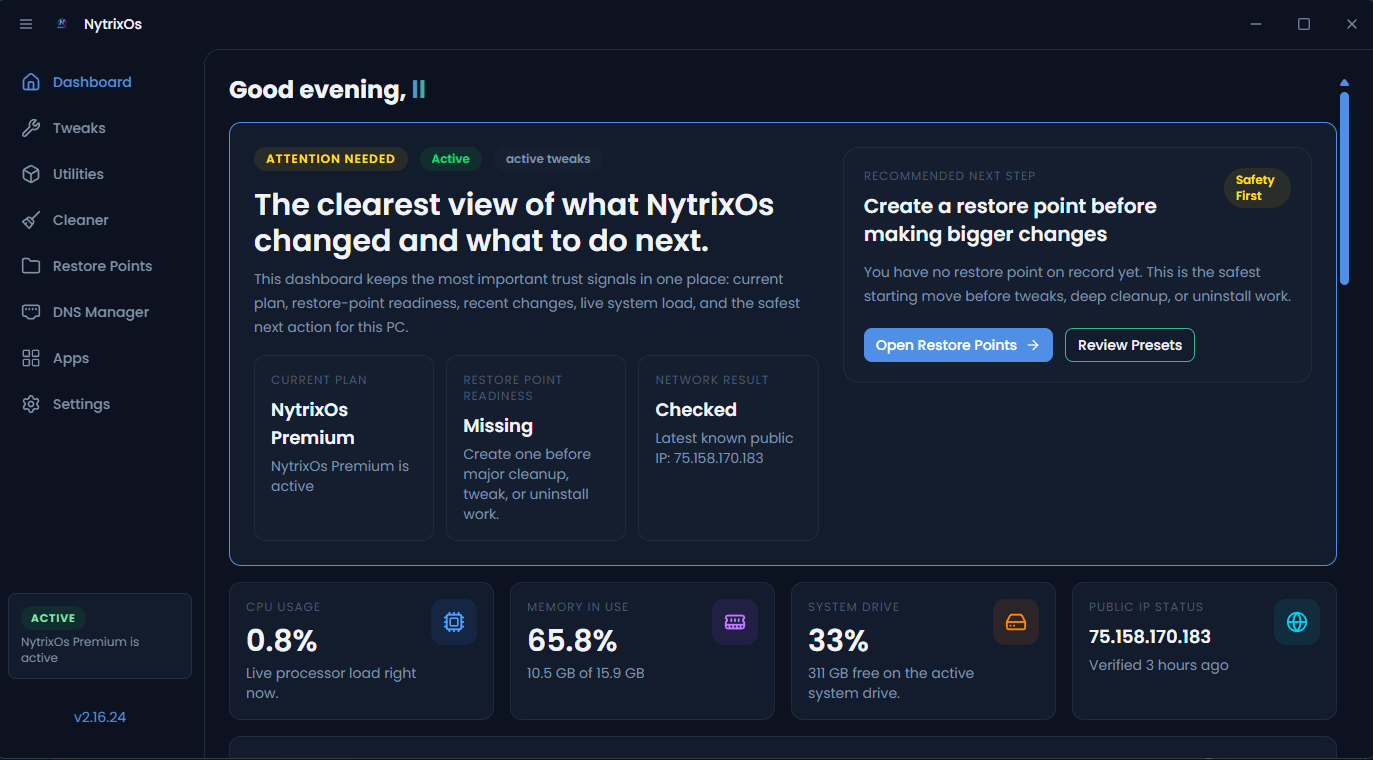
The product is designed like a composed control surface: readiness stays visible, deeper actions stay organized, and rollback never disappears behind a hidden menu.
The dashboard is built to slow impulsive system changes down just enough to keep context in view before and after the action.
Plan state, restore-point coverage, network context, and recent changes come first, so bigger moves start from a stronger position.
Cleaner, tweaks, DNS, backup, utilities, and app management all sit inside the same visual language instead of feeling like add-ons.
Restore points, restart prompts, and change memory are treated as part of the work, not afterthoughts that only appear once something breaks.
This is where NytrixOs separates itself from one-click tweak packs: the interface keeps you oriented before, during, and after the action.
NytrixOs starts with trust signals: current plan status, restore-point coverage, public IP context, and the safest next step for this machine.
Cleanup, tweaks, DNS, utilities, app installs, and backup all inherit the same operational structure, so deeper work still feels composed.
Rollback planning, restart prompts, and change memory stay close enough to matter, so the workflow feels responsible all the way through.
NytrixOs is strongest when the workflow is simple to scan: care, control, and recovery each have a clear role inside the same system.
Handle cleaner workflows, DNS adjustments, and everyday system care in one calm surface built for repeat use.
Premium opens guided tweaks, utility actions, and fuller app management without dropping you into a different mental model.
Restore points, restart prompts, and change memory live in the same story, which makes the product feel safer over time.
The installer path stays simple on purpose. Premium adds guided optimization power without changing how you download or onboard the app.
For routine maintenance, DNS controls, restore points, and dashboard visibility.
For guided tweaks, deeper utility actions, and fuller app-management access inside the same operating surface.
Release notes will load here. If the feed is unavailable, the direct setup file still stays available.
It replaces the feeling of stitching them together. Cleaner workflows, DNS changes, restore points, utilities, tweaks, and app management live inside one interface and one decision flow.
Because deeper optimization feels dramatically safer when rollback planning is visible before the action, not after something goes wrong.
Basic covers everyday maintenance, DNS, restore points, and general visibility. Premium adds guided tweaks, utilities management, and fuller app-management control.
No. Downloading the installer and purchasing a license stay intentionally separate so the direct setup path remains predictable.
This is the standalone place for claiming, buying, or redeeming NytrixOs Premium. The plans view stays focused on comparison, and everything access-related happens here.
This offer stays fixed on the website for marketing, so the public page does not change every time you edit pricing in the admin. The live backend access center only opens after someone clicks continue.
The public launch offer is now one clean 90-day Premium path for marketing and onboarding.
The fastest path is still direct: copy the support address, open your mail app, and keep the installer flow simple.
Copies the address and can open your mail app.